
import {
    AppEmbed,
    Page,
    AuthType,
    init,
    prefetch,
    EmbedEvent
}
from '@thoughtspot/visual-embed-sdk';Embed full application
Table of Contents
Full app embedding allows you to embed the entire ThoughtSpot application or individual application pages in your app.
Full app embedding provides access to all core ThoughtSpot features, along with additional customization options through the Visual Embed SDK, including custom actions and CSS styling rules.
The layout and feature set of the various pages in full app embedding are relatively fixed. If you require more granular control, use the embed components, such as LiveboardEmbed, SearchEmbed, or SpotterEmbed in the SDK. You can control or customize navigation within your web application using either full app or other embed components.
|
Important
|
|
Before you embed🔗
Before embedding the full ThoughtSpot application:
-
Review ThoughtSpot UI, different experience modes and customization options available in the SDK.
-
Determine the navigation elements and modules to enable or customize in the embed view
Import the AppEmbed package🔗
Import the AppEmbed SDK library to your application environment:
npm
ES6
<script type = 'module'>
    import {
        AppEmbed,
        Page,
        AuthType,
        init,
        prefetch,
        EmbedEvent,
        HostEvent
    }
from 'https://cdn.jsdelivr.net/npm/@thoughtspot/visual-embed-sdk/dist/tsembed.es.js';
Initialize the SDK🔗
Initialize the SDK and define authentication attributes.
Create an instance of the AppEmbed object🔗
Create an instance of the AppEmbed object and specify the initial page to display when the embedded component loads in your app.
const appEmbed = new AppEmbed(document.getElementById('ts-embed'), {
    frameParams: {
        width: '100%',
        height: '100%',
    },
    pageId: Page.Home,
});
The AppEmbed component allows you to embed a specific application page or the entire application experience. If you are embedding full experience, you can set a specific application page as the default page when the embedded content loads using the pageId or path property.
Customize your embed view (Optional)🔗
The AppViewConfig object in the AppEmbed component various attributes and properties to the look and feel of the embedded app, control the visibility of menu actions and features, and manage interactions between the host and embedded app.
By default, ThoughtSpot application loads in the classic (V1) experience mode. If the V3 navigation and modular home page feature is enabled on your instance, you can choose to enable this experience for your embedding application users and customize the UI experience as per your needs.
For more information, see the following pages:
Register, handle, and trigger events🔗
Register event listeners.
appEmbed.on(EmbedEvent.init, showLoader)
appEmbed.on(EmbedEvent.load, hideLoader)
For more information about events, see the following pages:
Code sample🔗
The following example shows the minimal code required to embed full ThoughtSpot experience in an app.
import {
    AppEmbed,
    Page,
    AuthType,
    init
} from '@thoughtspot/visual-embed-sdk';
// Alternatively, you can use the ES6 import from CDN as shown below:
// import { AppEmbed, AuthType, init } from 'https://cdn.jsdelivr.net/npm/@thoughtspot/visual-embed-sdk/dist/tsembed.es.js';

// Initialize th Visual Embed SDK with the host and authentication type
init({
    thoughtSpotHost: '<YOUR_THOUGHTSPOT_HOST>', // Replace with your ThoughtSpot host
    authType: AuthType.None,  // Use 'None' if authentication is handled outside the SDK
});

// Create an AppEmbed instance to embed the full ThoughtSpot application
const appEmbed = new AppEmbed(
    document.getElementById('ts-embed'), // The DOM element where the app will be embedded
    {
        frameParams: {
            width: '100%', // Set the iframe width to 100%
            height: '100%', // Set the iframe height to 100%
        },
        pageId: Page.Liveboards,  // Set the initial page to the Data page
    }
);

// Render the embedded ThoughtSpot application in the specified DOM element
appEmbed.render();
For customizing specific components, you can include the View configuration properties available for full application embedding in the SDK.
You may also want to import the Enumeration objects and use the enums that represent values for the configuration properties in your code. For example, to show, hide, or disable specific menu actions, you may want to import the Action object and include the enumerated members representing specific menu actions in the visibleActions, disabledActions, or hiddenActions array.
The following code sample shows how to initialize the SDK with a trusted authentication token and customize styles, menu actions, and interactions between the host and embedded app:
import {
    AppEmbed,
    Page,
    AuthType,
    init,
    EmbedEvent,
    Action,
    HostEvent
} from '@thoughtspot/visual-embed-sdk';

// Initialize the SDK
init({
    thoughtSpotHost: '<YOUR_THOUGHTSPOT_HOST>', // Replace with your ThoughtSpot instance URL
    authType: AuthType.TrustedAuthTokenCookieless, // Cookieless trusted authentication
    // getAuthToken should return a Promise that resolves to a valid trusted authentication token from your backend
    getAuthToken: () => {
        return fetch('https://your-backend.app/ts-token') // Replace with your backend token fetching endpoint
            .then((response) => response.json())
            .then((data) => data.token);
    }
});

// Create the AppEmbed instance for classic (V1) experience with customizations
const appEmbed = new AppEmbed(document.getElementById('ts-embed'), {
            pageId: Page.Home, // Set the initial page to Home
            showPrimaryNavbar: true, // Show the top navigation bar
            disableProfileAndHelp: true, // Hide profile and help icons
            frameParams: {
                width: '100%',
                height: '100%'
            }, // Set iframe size
            // Basic style customization for layout, navbar, and buttons
            customizations: {
                customCSS: {
                    variables: {
                        "--ts-var-root-background": "#F5F5F5",
                        "--ts-var-root-color": "#47515F",
                        "--ts-var-button--primary-background": "#FFA97E",
                        "--ts-var-button--primary--hover-background": "#FFCCB3",
                        "--ts-var-button--primary--active-background": "#FF8142",
                        "--ts-var-button--primary-color": "#FFFFFF",
                        "--ts-var-button--secondary-background": "#ABC7F9",
                        "--ts-var-button--secondary--hover-background": "#71A1F4",
                        "--ts-var-button--secondary--active-background": "#ABC7F9",
                        "--ts-var-nav-background": "#2359B6",
                        "--ts-var-search-data-button-background": "#ABC7F9",
                        "--ts-var-search-data-button-font-color": "#FFFFFF"
                    },
                },
                // Hide actions from menus
                hiddenActions: [Action.Present, Action.SyncToOtherApps],
                // Disable action in menus
                disabledActions: [Action.ShowUnderlyingData],
                disabledActionReason: "Contact your administrator to enable this feature."
            });

        // Listen for route (page/path) changes in the embedded app
        appEmbed.on(EmbedEvent.RouteChange, (response) => {
            console.log('Route changed to:', response.data.currentPath);
        });
        // Listen for dialog open events in the embedded app
        appEmbed.on(EmbedEvent.DialogOpen, (payload) => {
            console.log('Dialog opened:', payload);
        });

        // Listen for dialog close events in the embedded app
        appEmbed.on(EmbedEvent.DialogClose, (payload) => {
            console.log('Dialog closed:', payload);
        });
      // Render the embedded ThoughtSpot app
        appEmbed.render();
For code samples and additional information about the configuration options available for different UI experience modes, see Customize full application embed.
Test your embed🔗
-
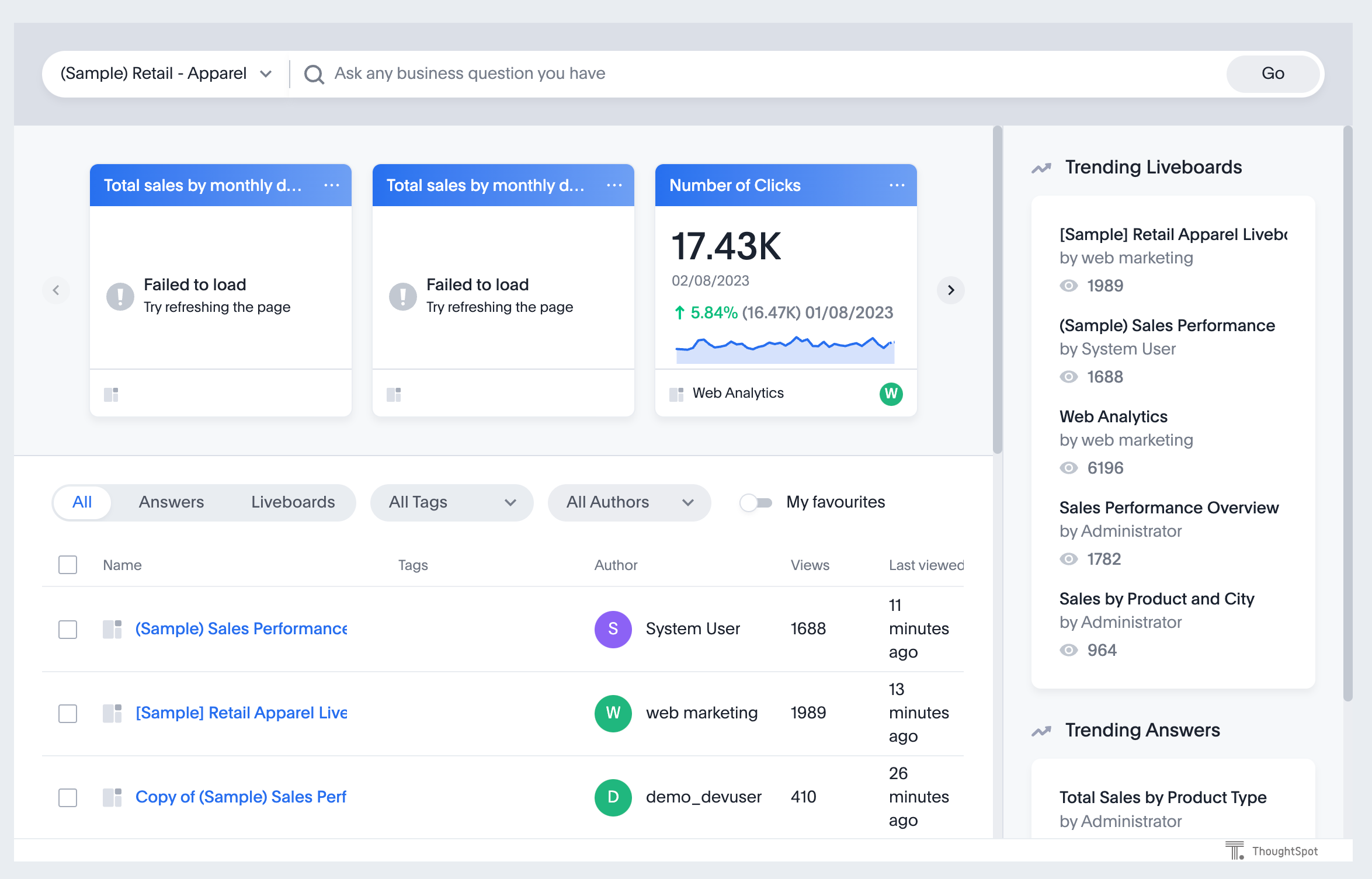
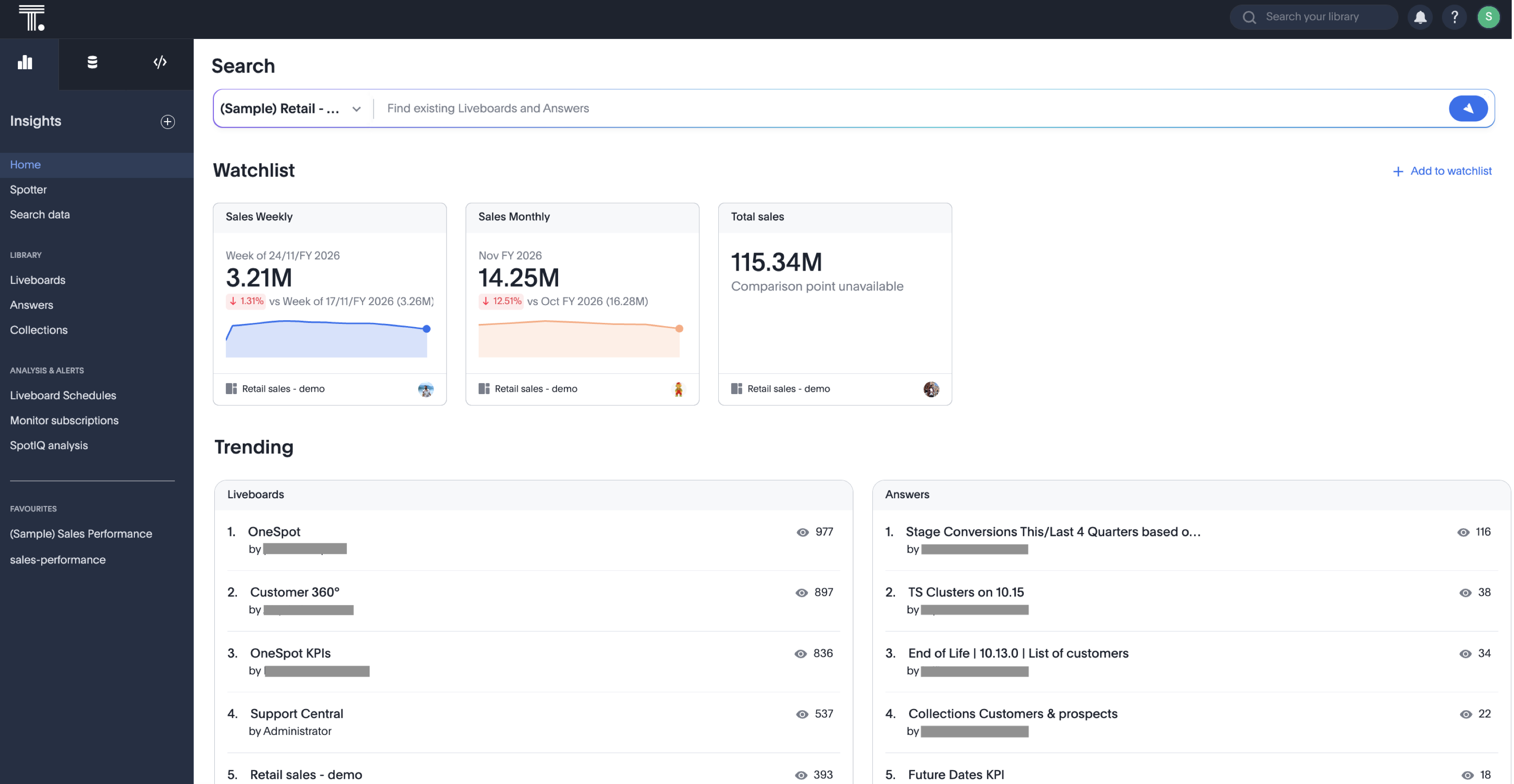
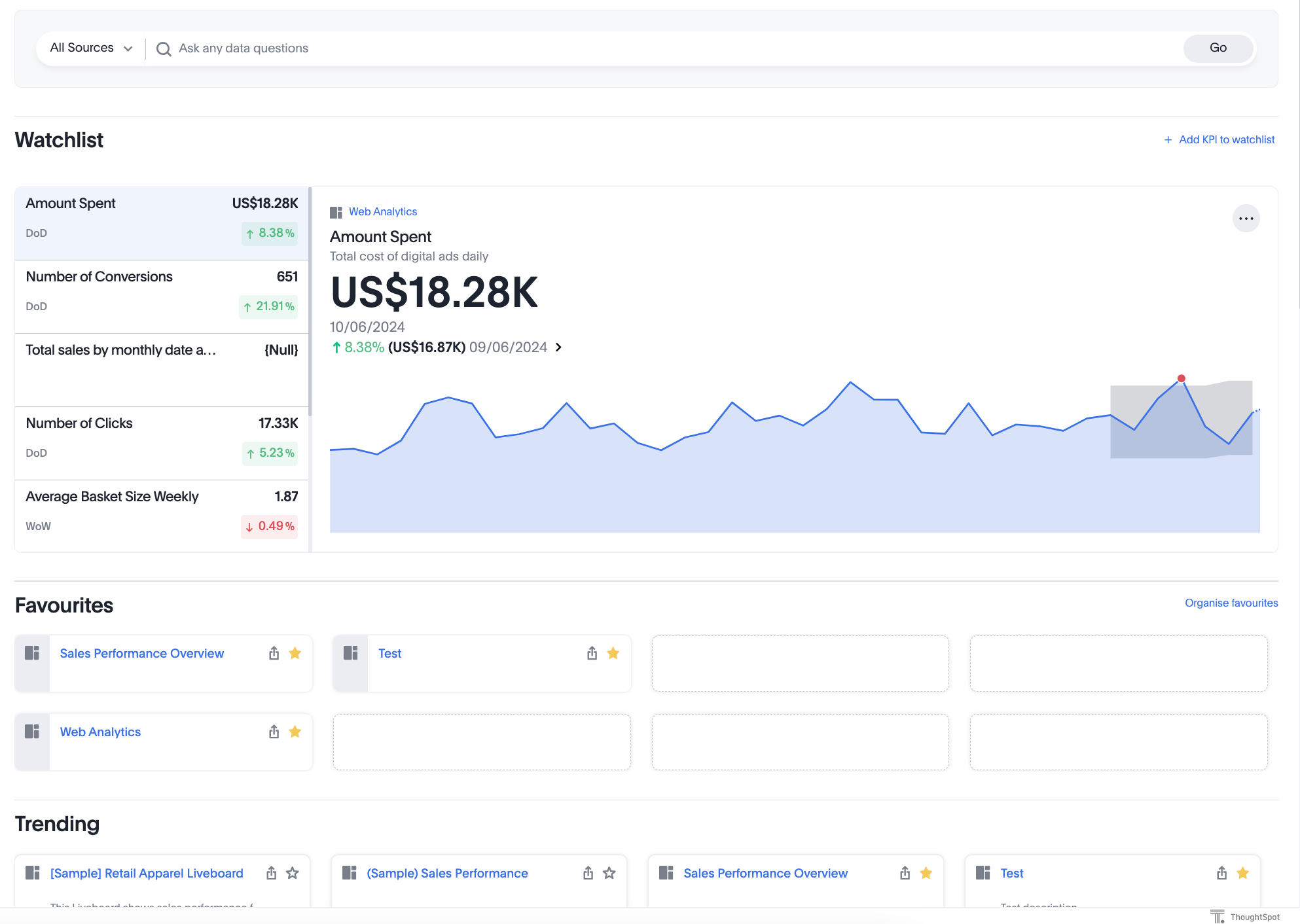
Load the embedded object in your app. If the embedding is successful, you will see the ThoughtSpot application page.
Classic experience
V3 experience
V2 experience
-
Explore the charts and tables, and verify if objects render and show the desired data.